A planning scenario for this guide
A community venue hosts weekday training and a weekend event. The same hall and sound equipment support both plans.
This is an illustrative setup, not a national standard or a customer case study. Organisations in the same country can follow different weeks, opening hours and policies.
Local setup decisions
- Use one resource name for the shared hall across all plans.
- Reserve setup and clearing time for the event before accepting training requests.
- Review the published venue commitments before preparing the next programme.
Choose the timezone and calendar deliberately
Africa/Dar_es_Salaam is an example IANA timezone for this guide. Confirm the location of the activities and select the appropriate timezone in the workspace. Use your own approved dates, open days and breaks; a country name does not automatically load a national holiday calendar or curriculum. Review imported dates and a sample exported schedule with the team before rollout.
Prepare, review and publish
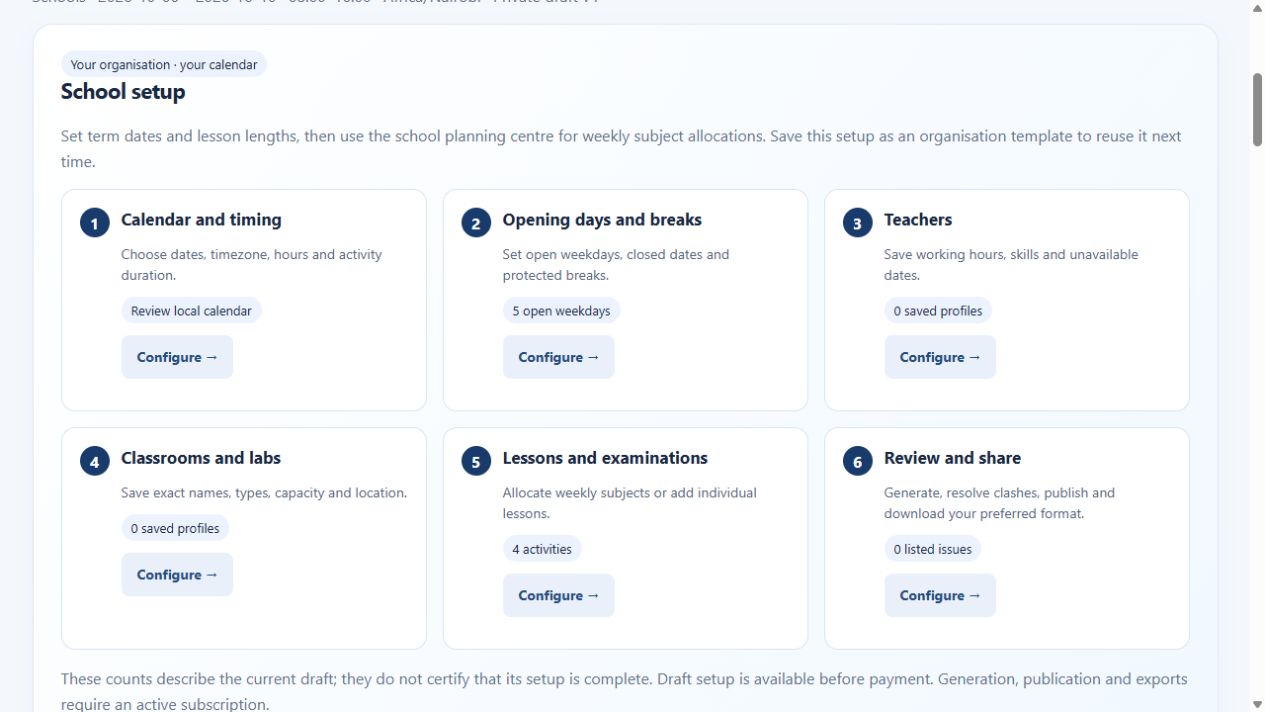
Choose your dates, timezone, open days and breaks. Set person and resource profiles before entering activities. Generate a candidate draft, inspect unplaced work and conflicts, and compare alternatives where useful. Keep manual review in the process: a quality score helps compare candidates and is not a guarantee of an optimal schedule.
Match the workspace to your operation
Schools organise lessons and class requirements. Workforce shifts coordinate duties. Clinics plan staff and room sessions. Events and worship coordinate programmes and volunteers. Spaces and assets organise shared resources. Explore the workflow used in this example.
Review local requirements
Ask your planning lead to check working hours, breaks, closures and any sector-specific requirements applicable to your organisation in Tanzania. VeloRoster helps organise activities; this page does not claim regulatory certification, local payroll processing or an automatic curriculum mapping.
See the real product
Account access and outputs
Public demos use sample data. Creating workspaces and entering your own scheduling details require a verified email and active paid subscription. A verified email and active subscription are required for paid generation, publication and timetable exports. Paid access covers all five workspaces within your account scope. Use the live billing page for current pricing and available payment methods. Check exported PDF, Excel, Word or CSV files with the software your team uses before distribution.
Buy annual access → · Read application setup and billing help · Explore worldwide scheduling guides
Explore specific scheduling situations
Browse the scheduling use-case library for distinct examples across schools, workforce teams, clinics, events and shared spaces.