A practical planning example
A conference has three tracks, a keynote and a workshop. One speaker appears in two tracks and needs time to move between rooms.
Set up this workflow
- Create each session with its speaker, track group, duration and room.
- Lock the keynote time and reserve setup windows and movement buffers.
- Check speaker and room views before distributing the final programme.
Prepare, review and publish
Choose your dates, timezone, open days and breaks. Set person and resource profiles before entering activities. Generate a candidate draft, inspect unplaced work and conflicts, and compare alternatives where useful. Keep manual review in the process: a quality score helps compare candidates and is not a guarantee of an optimal schedule.
What to check before rollout
Confirm speaker acceptance, accessibility arrangements and venue operating times with the organiser. The schedule does not sell tickets or manage attendee registration.
See the application workflow
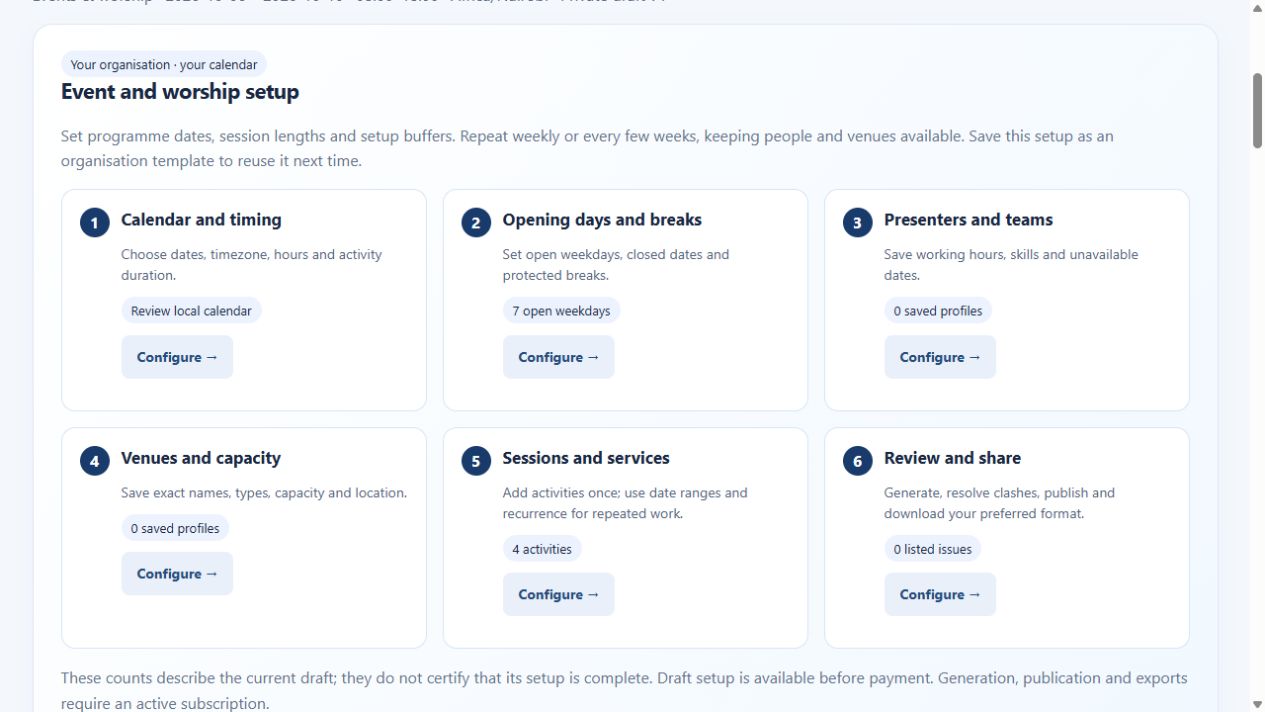
Account access and outputs
Public demos use sample data. Creating workspaces and entering your own scheduling details require a verified email and active paid subscription. A verified email and active subscription are required for paid generation, publication and timetable exports. Paid access covers all five workspaces within your account scope. Use the live billing page for current pricing and available payment methods. Check exported PDF, Excel, Word or CSV files with the software your team uses before distribution.
Continue your evaluation
Worship volunteer scheduling helps you explore the next part of this workflow.
Buy annual access → · Read application setup and billing help · Explore worldwide scheduling guides
Explore specific scheduling situations
Browse the scheduling use-case library for distinct examples across schools, workforce teams, clinics, events and shared spaces.